


Photo Editor - Retouch Photos
3.821.00 Reviews
App Specs
- Version
- 2.1.0.1
- Updated On
- License
- Free
- Downloads
- 10,000,000+
- Developer
- Photo & Video Editors - Instant Solution
- Categories
- Art & Design
- Platform
- Android
Screenshots
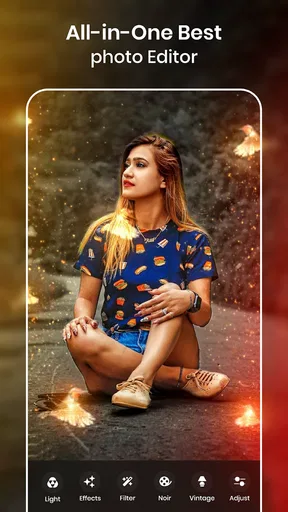
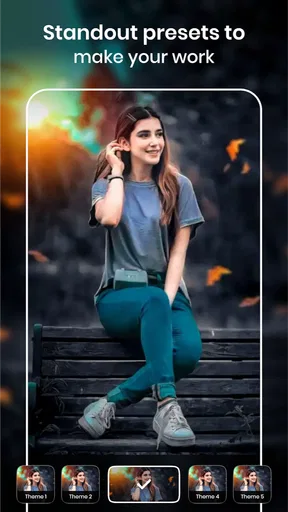
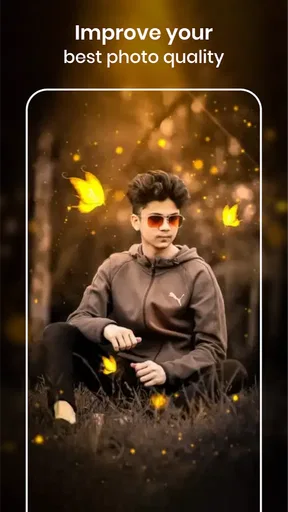
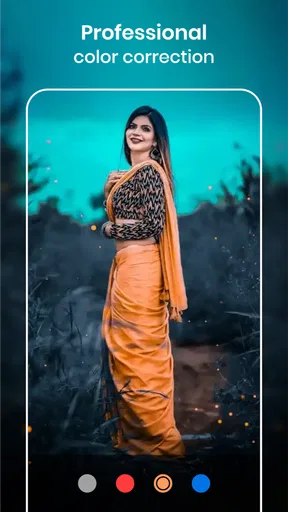
 Analysis by AppCompare
Ever stumbled upon a photo that just needed a little magic to make it pop? I’ve been there, and that's exactly when I decided to dive into the world of Photo Editor - Retouch Photos. This app promises a lot, so I gave it a whirl to see if it truly delivers on its claims. Spoiler alert: it’s pretty impressive.
First Impressions: Interface and Usability
Right off the bat, the interface of Photo Editor - Retouch Photos is sleek and welcoming. The app doesn’t bombard you with ads or unnecessary clutter. Everything you need is right there at your fingertips. Navigation is intuitive, and even if you're not a tech wizard, you’ll find your way around without a hitch.
The app opens with a quick tutorial, which I found super helpful. It’s like having a mini guide walking you through the features, ensuring you don’t miss out on any of the cool tools available. And let me tell you, there are plenty of those!
Features That Stand Out
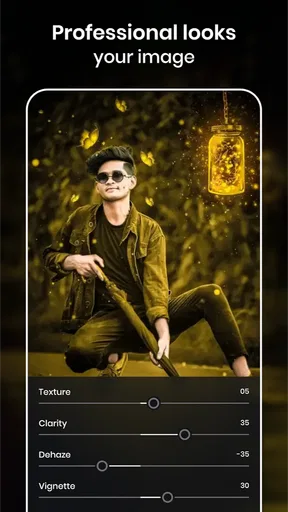
This app is like a Swiss Army knife for photo editing. You've got your basics like cropping, rotating, and adjusting brightness, but the real magic lies in the retouching tools.
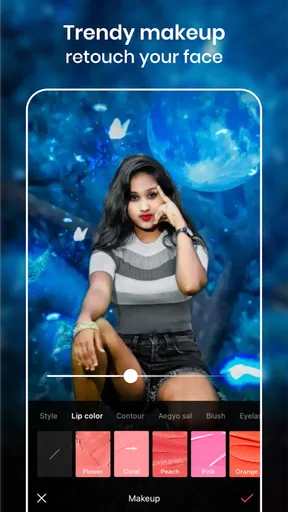
- Skin Smoothing: This is a game changer. With just a few taps, you can smooth out blemishes and imperfections. The results are natural, making your selfies look like they were taken by a pro.
- Background Change: Ever wanted to be in Paris without leaving your living room? Now you can, sort of. The background change feature allows you to swap out your current setting for something a bit more exotic or fitting.
- Filters and Effects: From vintage vibes to modern day chic, the variety of filters is vast. You can try out different looks until you find the one that suits your mood.
Choosing the Right Moment to Edit
Where this kind of editor makes the most sense is in quick, personal jobs: polishing a profile picture, brightening a dim indoor snapshot, or giving a family photo a consistent mood before sharing it. I wouldn’t treat it as a replacement for a desktop retouching workflow. Its appeal is being able to make a focused change on a phone without turning a casual picture into a long project.
A useful habit is to keep an untouched copy of the original and compare it with the edit before sharing. Retouching can look pleasing on a bright phone screen yet feel much stronger when viewed elsewhere. I’d make one adjustment at a time, then pause and check whether the photo still looks like the moment I remember. That small check helps avoid the familiar over-smoothed skin or a background that draws more attention than the person in the frame.
The Retouching Experience
Using the retouch tools is surprisingly easy. The app uses AI to detect and enhance features, which means you spend less time fiddling around and more time getting the perfect shot. What I loved most was the subtlety of the edits. You can enhance your photos without them looking overly edited, a balance that’s tricky to achieve with some other apps.
Worth Reading Before You Choose

Flipboard Shows What News Apps Must Do Beyond the Feed

Switching to Android Auto Means Rethinking Your Driving Routine

Google Calendar Makes a Crowded Week Easier to Manage

Ludo King Makes the Most of the Minutes Between Plans

Baby Panda World Brings Quick Play to Modern Phones, but Its Game Library Feels Busy

ESPN’s Live Game View Makes Following Close Games Easier
I found the teeth whitening tool particularly fun. It’s like having a mini photoshoot glow-up session right on my phone. And for those days when you wake up with a less-than-perfect complexion, the blemish remover has your back.
Getting More Natural Results
For portraits, I’d start with the smallest correction that makes a visible difference, especially on skin and teeth. The face is where viewers notice edits first, so a heavy pass can make an otherwise ordinary selfie feel artificial. A quick before-and-after check is more useful than chasing a perfectly uniform complexion; freckles, texture, and small lines can be part of what makes a portrait feel like you.
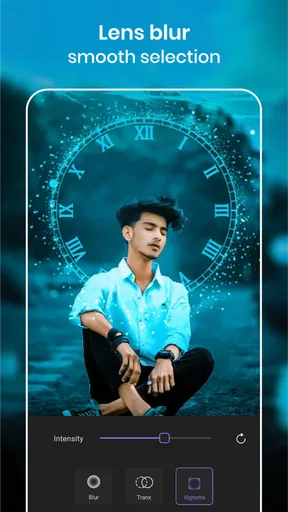
The background tool calls for a different kind of restraint. It is most convincing when the subject has a clear outline and the replacement setting suits the lighting and perspective of the original. Hair, glasses, and objects close to the body can make cutouts harder to blend. If an edge looks distracting, I’d choose a simpler background or keep the original rather than trying to rescue every image with another effect.
Everyday Workflow and Alternatives
Picture a simple use case: I take a quick portrait indoors before meeting friends, notice the room looks busy, and want a cleaner image for a profile or message. I can crop away empty space, make a restrained brightness adjustment, try a background change, and stop as soon as the picture feels clear. That is a better fit for this app than a batch of dozens of photos that all need identical, precise edits.
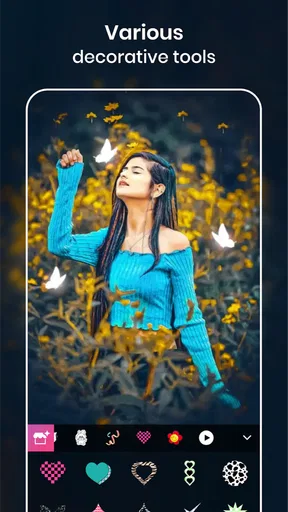
Compared with a basic gallery editor, the attraction here is the emphasis on portrait retouching and decorative treatments rather than only trimming or correcting a photo. Compared with a more advanced editing suite, the trade-off is control: someone who needs careful masking, repeatable color work, or detailed layer-based changes may prefer a tool built for that. I’d choose this app for a quick personal result, not for a client job where every edge and tone needs close control.
One practical tip is to decide what the photo is for before editing. A small screen avatar can tolerate a tighter crop and a stronger visual effect than a picture someone may enlarge or print. For a social post, I’d check the full image after applying a filter rather than judging only the face; a treatment that flatters skin can also shift the colors of clothes or the background. Keeping the edit focused usually makes the finished picture feel more coherent.
Sharing and Saving
Once you’ve created your masterpiece, sharing it is a breeze. The app supports direct sharing to all major social media platforms, so you can flaunt your edited photos immediately. The quality remains intact, which is something not all apps can boast about.
Saving options are flexible, allowing you to keep high-resolution copies for printing or smaller files for easy upload. It’s thoughtful touches like these that make the app stand out.
Before saving, I’d check the crop and the image at full view, not just the close-up editing screen. That is especially helpful after changing a background: a neat-looking face crop can hide an awkward edge elsewhere in the frame. If I’m editing something important, I’d save a version I’m happy with before experimenting further, so a bolder filter or retouch does not become the only result I keep.
Speed, Stability, and Device Fit
For the kind of single-photo edits described here, my expectation is a quick, casual workflow rather than a demanding production setup. Portrait detection and background changes are more involved than a simple crop, so I would give them a moment and avoid judging the whole app by the fastest adjustment. Closing other heavy tasks on a phone may help if an edit feels sluggish, but I wouldn’t assume every device will behave identically.
Long editing sessions are also where any phone editor can feel less convenient: repeatedly comparing subtle changes, switching effects, and revisiting a detailed cutout takes attention and can use more of a device’s resources than a quick touch-up. I’d work through one image at a time and save a satisfactory version before exploring alternatives. That approach is useful regardless of whether the goal is a selfie, a profile image, or a small social post.
The app is free to install, though it includes optional in-app purchases ranging from $0.99 to $99.99 per item. I’d treat those as a reason to check the purchase details in the app before committing, especially if I only need an occasional edit. It is rated for Everyone, and its current version is 2.1.0.1. The Android minimum is 7.0, which gives older supported phones a possible route in, but available storage and general device performance still affect how comfortable any editing session feels.
Room for Improvement?
While the app is pretty robust, there are always areas to grow. Occasionally, the background change feature can be a bit finicky, especially with complex images. However, given the app’s frequent updates, I’m optimistic these minor hiccups will be smoothed out over time.
Another addition that could elevate the app would be a built-in tutorial for more advanced edits. It’s always nice to have a little extra guidance when diving into the deeper waters of photo retouching.
That limitation matters most when a picture has fine hair, a cluttered outline, or several objects crossing behind the subject. In those cases, a clean automatic-looking result may take more patience than the quick-edit promise suggests. I’d skip a background swap when accuracy is important, or use a more hands-on editor if the image will represent a business or be viewed closely. For a casual post, an imperfect but unobtrusive result may be perfectly acceptable.
Who I’d Recommend It To
I’d point casual portrait editors toward this app if they want to make a selfie or everyday photo feel more polished without learning a complicated editing system. Its mix of retouching, basic adjustments, and visual effects suits someone who prefers experimenting directly on a phone. It is less compelling for people who want highly controlled edits, need to process many pictures in a consistent style, or dislike the possibility of optional purchases inside a free app.
The app is in the Art & Design category and is made by Photo & Video Editors - Instant Solution. It has an average rating of 3.8 from around 65,000 ratings, with over 10 million installs. Those figures suggest that it has reached a broad audience, though they are not a substitute for deciding whether its portrait-focused approach matches your own habits. It was released on April 23, 2019, and is free to install.
Final Thoughts
All in all, Photo Editor - Retouch Photos is a fantastic tool for anyone looking to give their photos that extra oomph. Whether you're a selfie enthusiast, a budding influencer, or just someone who enjoys capturing life’s moments beautifully, this app has something for you.
With its user-friendly interface and powerful retouching capabilities, it’s no wonder this app is gaining traction. So, if you’re on the hunt for a reliable and fun photo editing app, give this one a shot. You might just find it becomes your go-to for all things photo-related.
My performance verdict is measured rather than absolute: the app’s straightforward editing approach sounds best suited to short sessions and individual images, while complex cutouts and extended tinkering are the moments most likely to test patience. I’d keep expectations grounded, save a clean original, and judge each edit on the phone I actually use. For quick portrait touch-ups, that balance can be worthwhile; for precision work or a large editing queue, I’d reach for a more controlled alternative.
Pros
- User-friendly interface for quick edits.
- Wide range of filters and effects.
- Supports high-resolution output.
- Offers precise retouching tools.
- Frequent updates with new features.
Cons
- Contains intrusive ads for free users.
- Some features require in-app purchases.
- Occasional lag on older devices.
- Limited social media integration.
- No batch editing option available.
FAQs for Photo Editor - Retouch Photos
What features does Photo Editor - Retouch Photos offer?
Photo Editor - Retouch Photos offers an array of features including filters, cropping, red-eye removal, and advanced editing tools like skin smoothing and blemish correction. It also provides artistic effects, text overlay, and the ability to adjust brightness, contrast, and saturation. These tools cater to both basic editing needs and more advanced photo retouching.
Is Photo Editor - Retouch Photos user-friendly for beginners?
Yes, Photo Editor - Retouch Photos is designed with an intuitive interface that's easy for beginners to navigate. The app provides tutorials and tips for new users, ensuring a smooth learning curve. Even if you're not tech-savvy, you’ll find it straightforward to enhance your photos with its simple drag-and-drop features.
Does the app support high-resolution image editing?
Photo Editor - Retouch Photos supports high-resolution image editing, allowing users to maintain the quality of their photos even after extensive retouching. This is particularly beneficial for professional photographers and enthusiasts who require detailed editing without compromising on image quality.
Are there any in-app purchases or subscriptions?
While Photo Editor - Retouch Photos offers a free version with basic features, it also includes in-app purchases for advanced tools and effects. Users can opt for monthly or yearly subscriptions to access premium features, including exclusive filters and unlimited editing capabilities.
Is Photo Editor - Retouch Photos available for both Android and iOS?
Yes, Photo Editor - Retouch Photos is available for download on both Android and iOS platforms. It ensures a consistent experience across devices, allowing users to edit their photos seamlessly whether they're using a smartphone or tablet. The app is regularly updated to support the latest operating systems.


